Coolest Guides on the Planet

coolest guides on the planet

Coolest Guides On The Planet

  • Home
  • macOS
  • WebDev
  • All Posts
  • Contact

Installing node.js on OSX 10.9 Mavericks

May 17, 2014 14 Comments

node.js allows you to run javascript in the Terminal as appose to a regular browser which makes for a modern workflow in web development, with node.js installed an associated package called npm (Node Package Manager) is also installed which can manage other applications that utilize node.js, one of the main ones being grunt.js. OSX Yosemite 10.10 guide here.

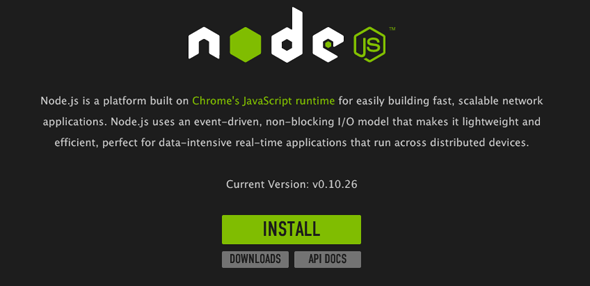
To install node.js on OSX 10.9 Mavericks  you can download a pre-compiled binary package which makes a nice and easy installation. Head over to http://nodejs.org/ and click the install button to download the latest package.
nodejs-osx-mavericks

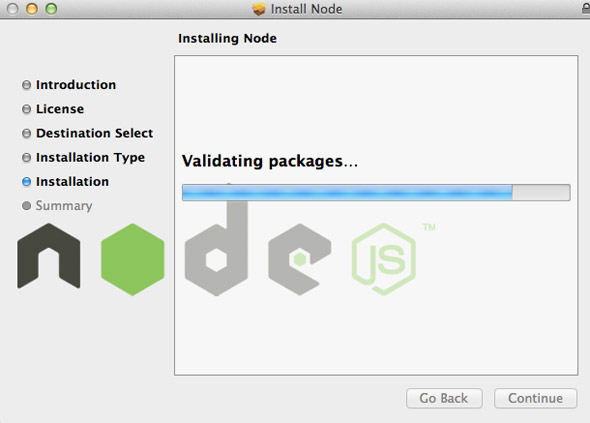
Install the package by following along which will install node and npm, npm is Node Package Manager which facilitates installs of additional packages for node.js.
mode-npm-osx

At the end of the install you are prompted to make sure that /usr/local/bin is in  your path, double check you have it by running in the Terminal:

echo $PATH

If not add it in either .bash_profile or .bashrc in your home directory.

After install check it was ok by entering in the command line node which will open a node javascript session:

node

> console.log('hello node');

hello node

undefined

>

To exit the node.js session just hit ‘control’ + ‘c’ twice.

If you have an earlier version of node you can just download the latest version and install to upgrade it and it will overight the previous version.

Installing Packages for Node

There are many packages for Node such as the popular grunt.js,  you use the command npm to see a complete list run:

npm search

This will return an exhaustive list of available packages, to install a package run npm install

npm install easyimage

To list installed packages run

npm ls

To upgrade npm packages

npm update

To upgrade node.js itself on OSX just download and install the latest from node.org

Cats: macOS, Open Source

Tags

3gs 10.6 apache backup baseband boot clean urls cpanel css curl custom database drupal el capitan git Google image instadmg ios iphone jailbreak keys lion mac macos mojave macos sierra menu mysql OSX panda php phpmyadmin private public redirect redsn0w remote rsa SEO shell ssh terminal unstoppables upgrade urls

Donate a Beer to the Coolest Guides

Get Beaver Builder Now!

Discuss

3gs 10.6 apache backup baseband boot clean urls cpanel css curl custom database drupal el capitan git Google image instadmg ios iphone jailbreak keys lion mac macos mojave macos sierra menu mysql OSX panda php phpmyadmin private public redirect redsn0w remote rsa SEO shell ssh terminal unstoppables upgrade urls
Get DesktopServer

Lynda

Lynda.com Online Training Videos

TreeHouse

smlinks

Learn WordPress
osx-modify-shell-path

How to Add to the Shell Path in macOS Big Sur and Catalina using Terminal

October 19, 2019

virtual-hosts osx 10.10 yosemite

Set up Virtual Hosts on macOS Catalina 10.15 in Apache

October 19, 2019

Installing Homebrew on macOS Catalina 10.15, Package Manager for Linux Apps

October 18, 2019

Where is the bash shell in macos Catalina?

October 12, 2019

Refine your search

  • All
  • Modules
  • Themes
  • Documentation
  • Forums & Issues
  • Groups

RSS feed: ars technica ars technica

  • Command-line tool quickly removes Apple Intelligence from macOS 27
  • Review: The iPhone 18 Pro is Apple's coolest smartphone (but only literally)
  • Review: Apple's hyper-pricey M5 Ultra Mac Studio made me into a vibe coder
  • Apple Mac mini review: The new M6 impresses, but the price hike is rough
  • Apple reportedly building server packed with M-series Ultra chips for AI

RSS feed: mac surfer mac surfer

  • Apple Plans Two October Product Launch Windows
  • Apple Music Debuts Redesigned Logo
  • Apple Seeds iOS 27.2, macOS 27.2 Beta 3
  • 'Imperfect Women' Gets Renewed for Season Two at Apple TV
  • Apple One Prices Rise in Europe

Donate

Copyright © 2026· Neil Gee - All Rights Reserved - Hosted by Runcloud

Copyright © 2026 · gee on Genesis Framework · WordPress · Log in